How Our HR Management System Works
Our HR Management System is fully integrated with WhatsApp, allowing all activities to be monitored on the Web Dashboard but controlled entirely through WhatsApp. The system intelligently identifies users as HR/Admin, Employees, or Unknown Users based on phone numbers stored in the database.
Working for HR
- HR can add employee details (name, phone, employee ID, designation) directly via WhatsApp chat.
- HR can upload employee expertise PDFs by simply sending them on WhatsApp.
- Task Distribution: HR can send a list of tasks (e.g., “create chatbot, make social media post”) and the AI agent will automatically assign them to the right employees.
- HR agent provides company/HR policies instantly on request.
Working for Employees
- Employees can query their expertise, role, and leave details via WhatsApp agent.
- Leave Applications: Employees can send leave requests as PDFs. The AI checks eligibility (max 5 leaves/month), updates the database, and sends approval/rejection response to the employee’s email.
- Employees can check leave balances anytime.
- Tasks assigned by HR are received directly on WhatsApp via AI agent.
Working for Unknown Users
- Unknown users (not in the database) are treated as clients.
- If applying for a job, the agent collects their details (name, phone, applied position, visit time) and stores them in the database.
- Agent requests CVs on WhatsApp and stores them automatically.
- Provides company details like location, email, contact info, and services.
Dashboard Screenshots

1. Employee Records & Applications
View complete employee records including phone number, designation, and ID. On the left panel, see applications submitted by employees and reviewed by AI.

2. Employee Expertise PDFs
The dashboard provides access to all employee expertise PDFs uploaded by HR via WhatsApp, with options to view and download.

3. Chat History
See the full chat history between employees, HR, and unknowns. Conversations can be reviewed and downloaded for records.
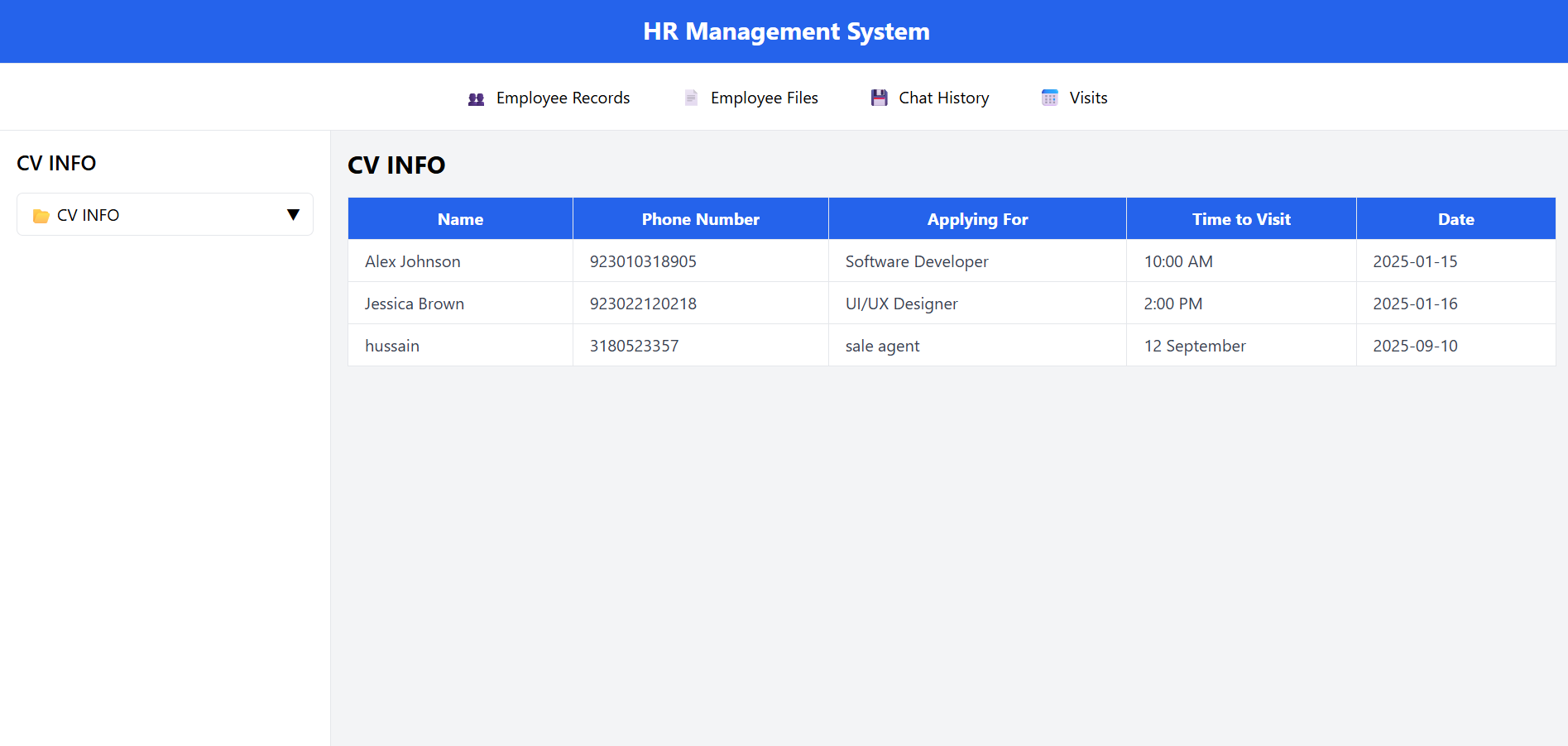
4. Job Interview Visits
Track interview visit schedules submitted by unknown users. CVs uploaded by applicants are shown in the left panel for easy access.

5. Application Approval by AI
The dashboard displays employee applications processed by the AI agent. Approved/rejected leave applications are shown along with the AI’s response sent to employees’ emails.